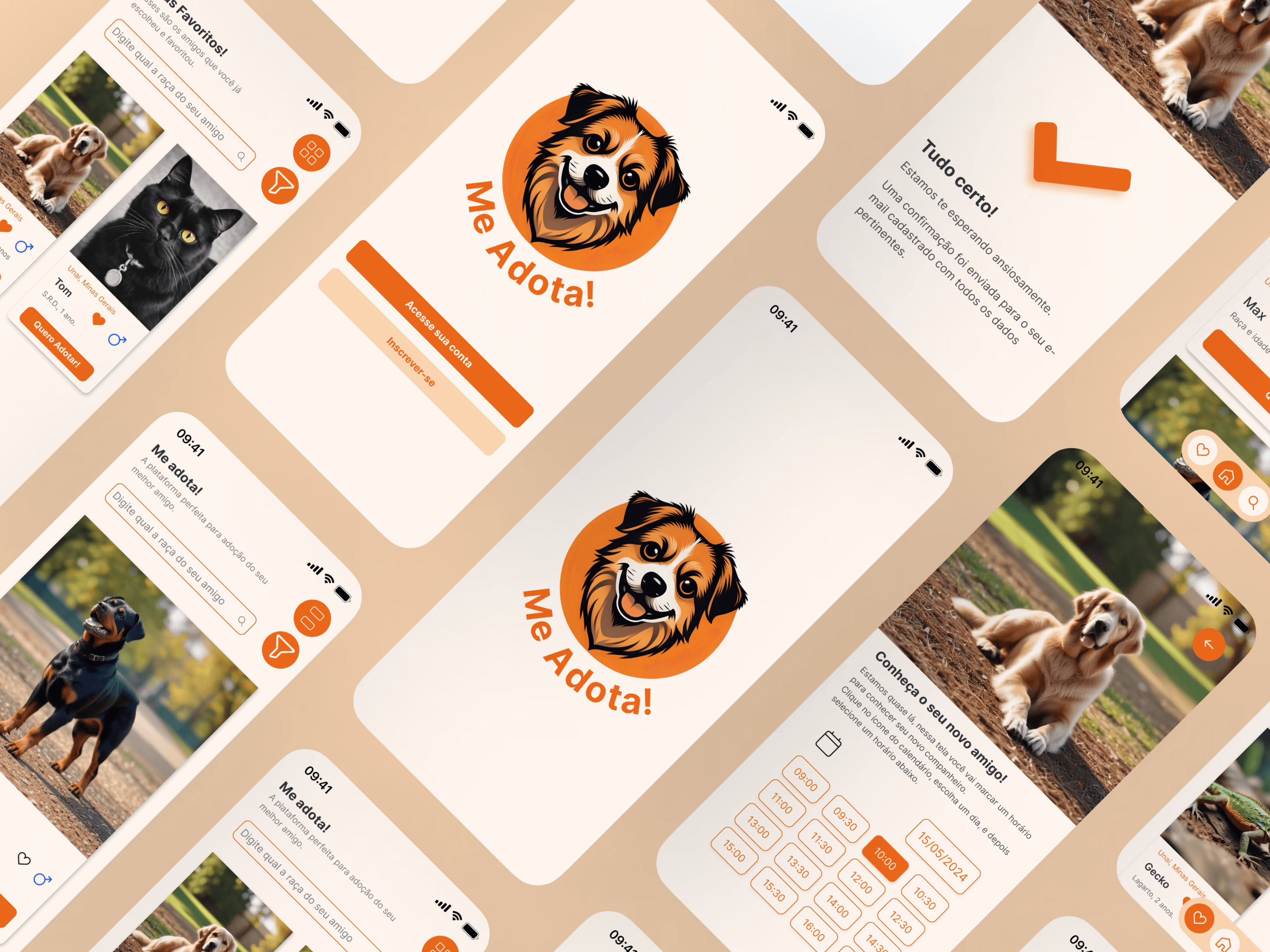
Summary
Me Adota! is an app designed to make the pet adoption process easier, developed as a study project during my UI Design training. The project exercised the complete design workflow: from building a design system and style guide through to wireframes and high-fidelity prototypes in Figma, with adjustable and standardized components.
The Challenge
Create a pet adoption app that is easy to use and meets the needs of both owners and animals, connecting pets with people who want to adopt them responsibly.
Research
Brazil faces a serious problem of animal abandonment — around 30 million, including 20 million dogs and 10 million cats. The pandemic boosted adoptions, but also increased subsequent abandonment. Research revealed that young adults see an adoption app as practical, while older people prefer in-person contact. Educational features and partnerships with NGOs and clinics are essential to promote responsible adoptions.
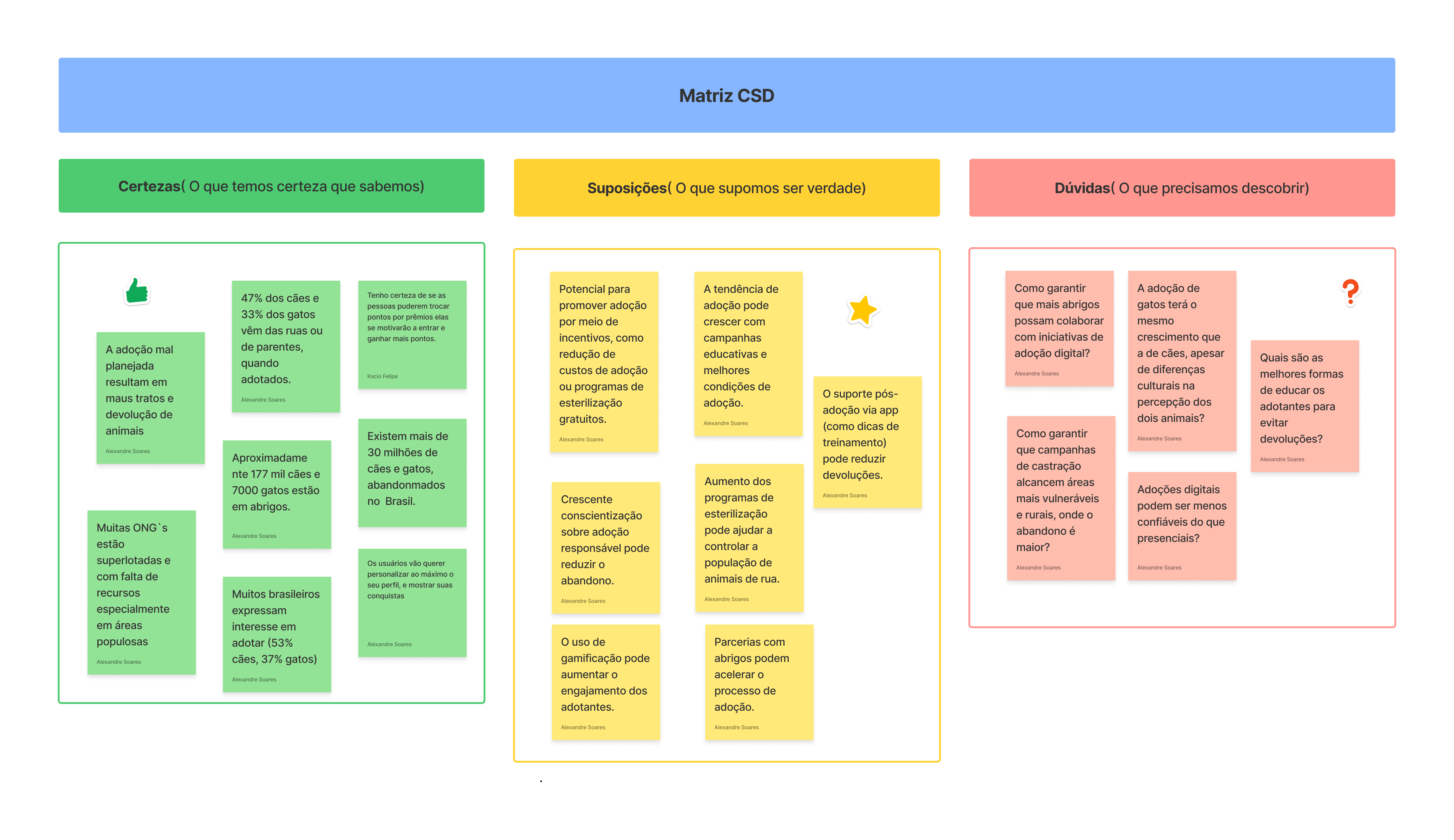
CSD Matrix — certainties, assumptions and doubts raised during the research phase
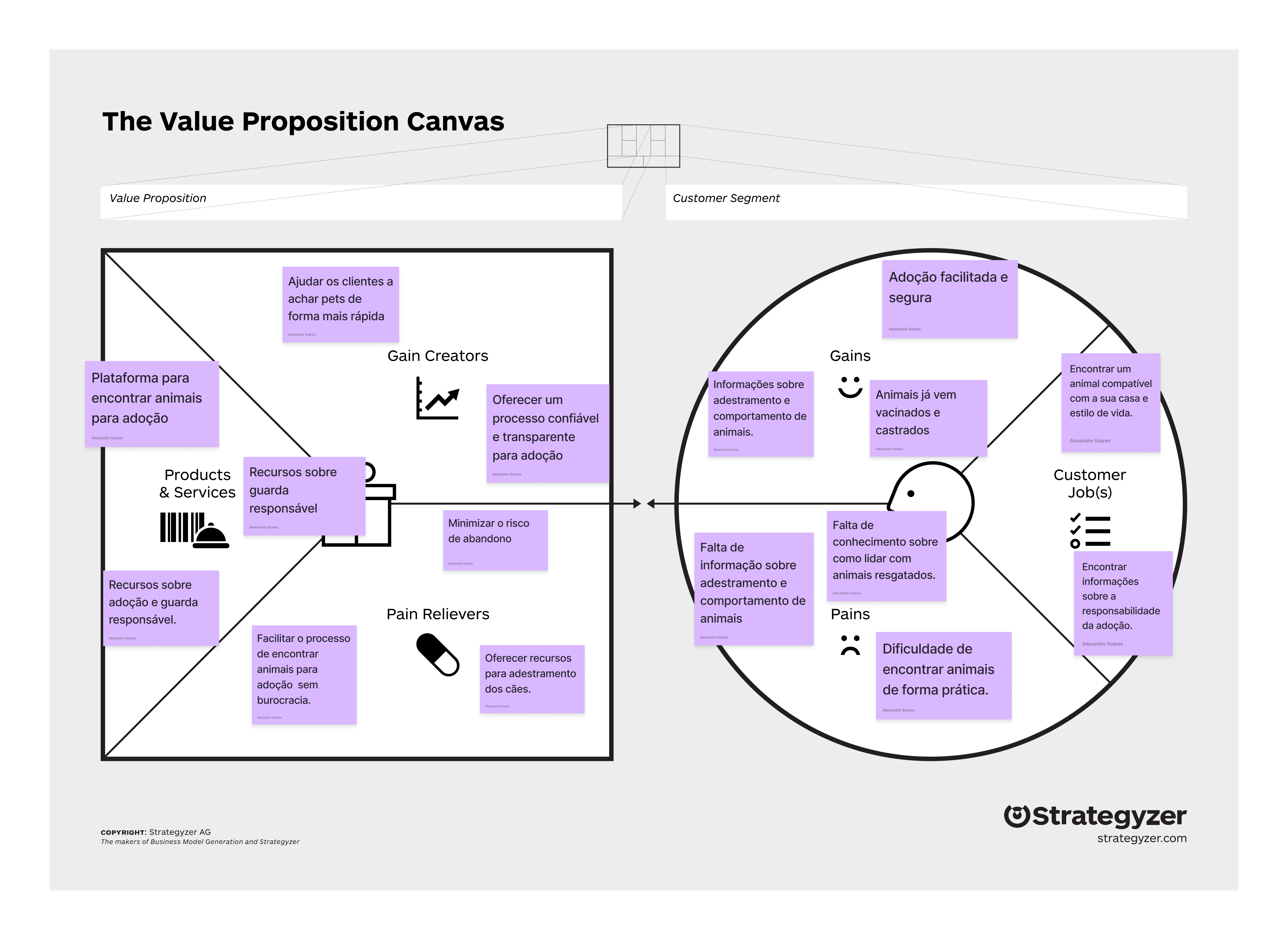
Value Proposition Canvas — value proposition mapped against user pains and gains
Design Process
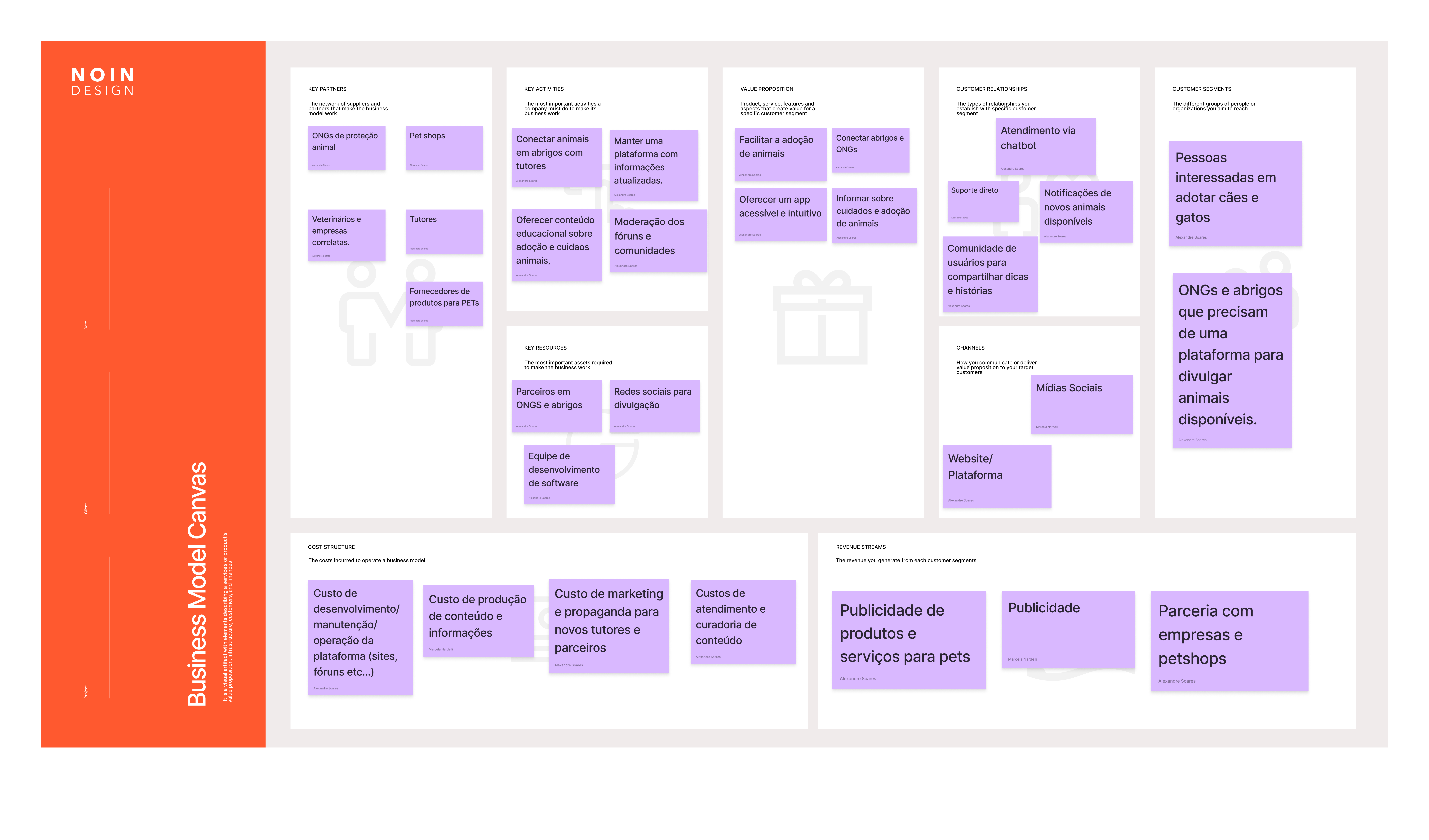
Business Model Canvas — partners, key activities, customer segments and revenue streams
- Design System: I built a complete library of icons, assets, colors and typography (Inter), configured in Figma to ensure consistency and speed
- Style Guide: Color palette divided into primary (orange #EA6719), neutral and secondary colors for different visual functions
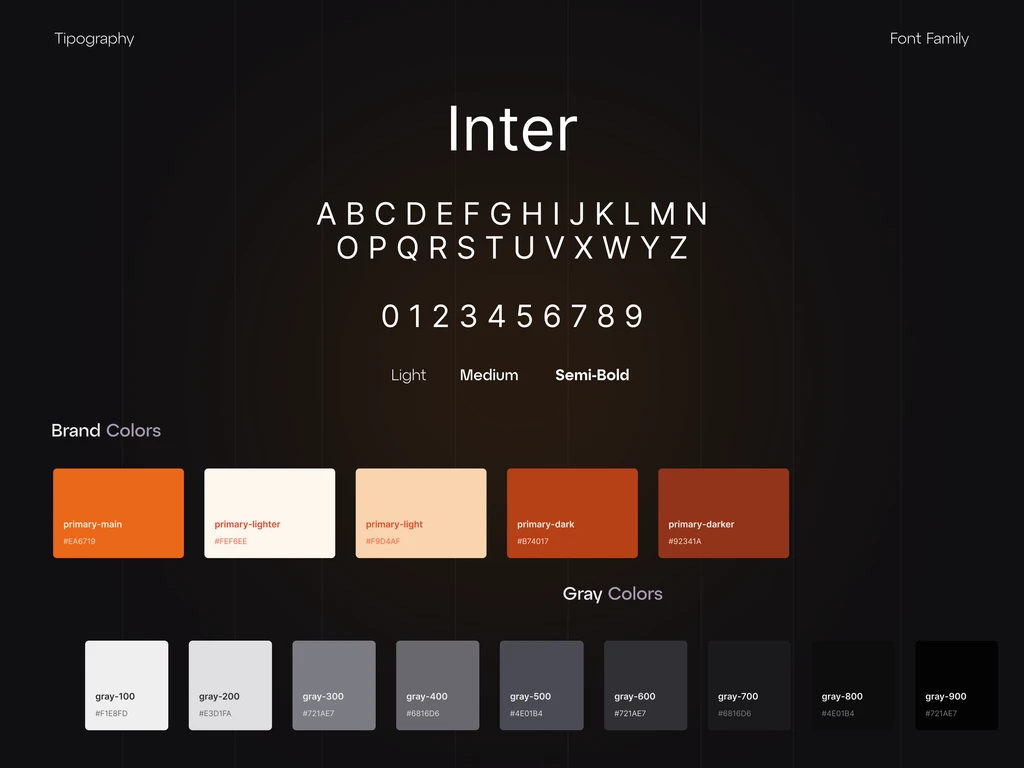
Style guide — Inter typeface and color palette with orange (#EA6719) and gray tones
- Personas: User profiles created to ground design decisions in real needs
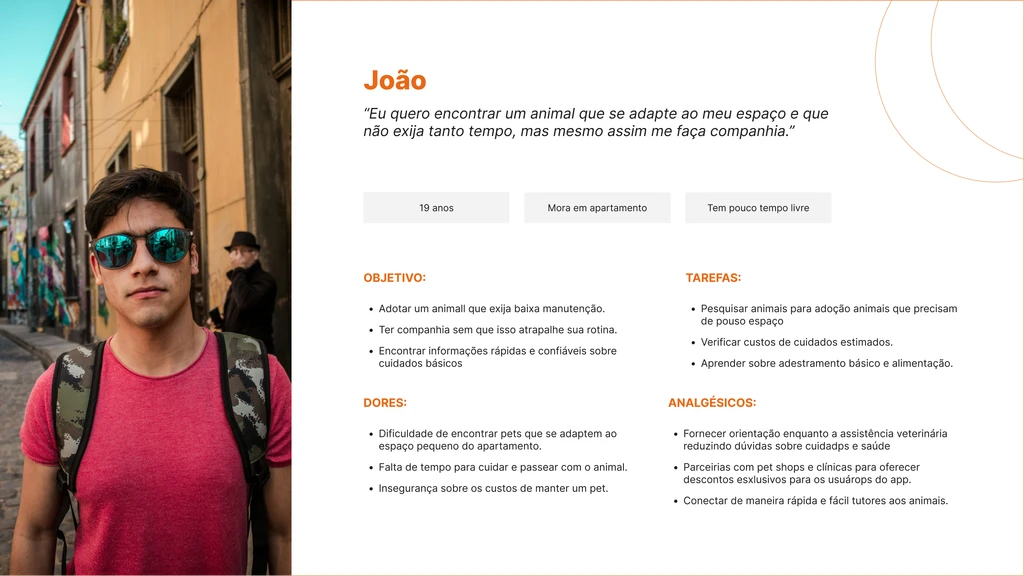
Persona João — 19 years old, lives in an apartment, looking for a low-maintenance pet for companionship
- Wireframes: Paper sketches for initial validation of ideas and flows
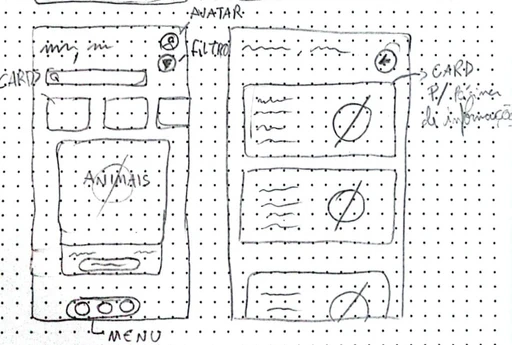
Initial wireframes — paper sketches for validating flows and screen structure
- Prototypes: Low and high-fidelity prototypes for designing user journeys and in-app interactions
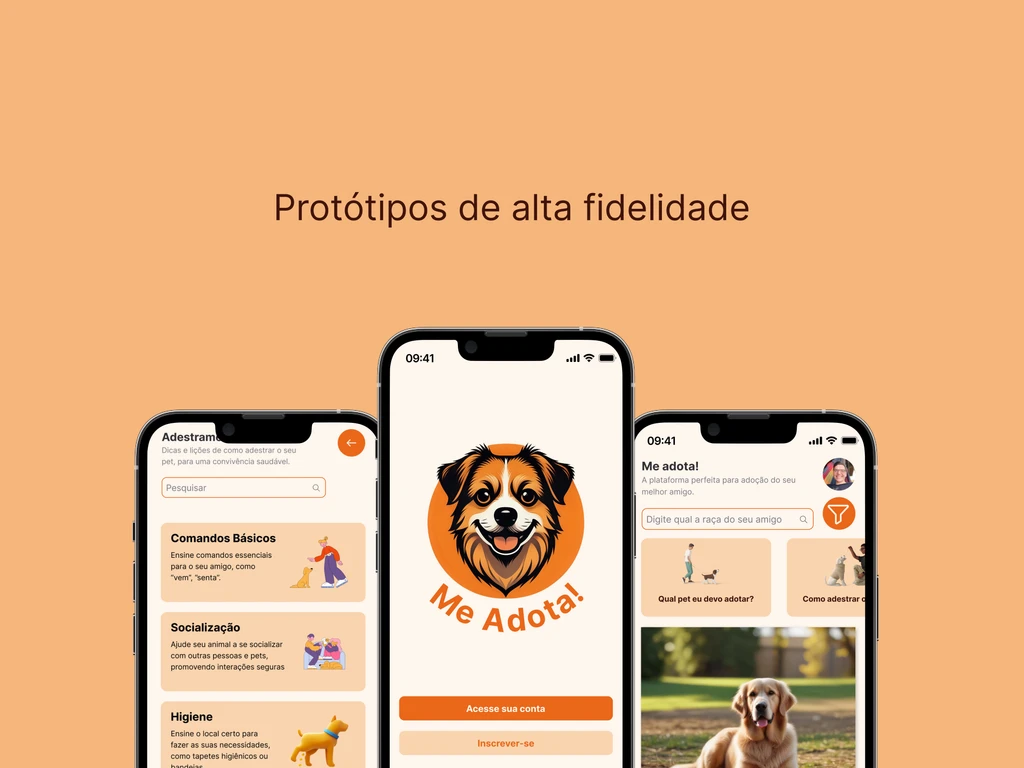
High-fidelity prototypes — splash screen, home with search and filters, and educational section
Main Flows
- Login: Animated splash screen with login, sign-up and password recovery options, including social media authentication
- Adoption: List of available animals with favorites and filters. When choosing a pet, the user schedules a day and time to visit the shelter
- Educational: Sections on training and pet care, accessed via a carousel on the home screen, reinforcing responsible adoption
Interactive Prototype
Interactive prototype — navigate through the Me Adota! screens directly in Figma
Learnings
Developing Me Adota! reinforced the importance of standardization in digital design. Using a design system and style guide ensured visual consistency, while prototyping allowed ideas to be validated before any implementation. The project consolidated my proficiency in Figma and UI Design best practices.